
Pay with DANA, OVO, or ShopeePay
Terakhir diperbarui
Di artikel ini
DANA and ShopeePay
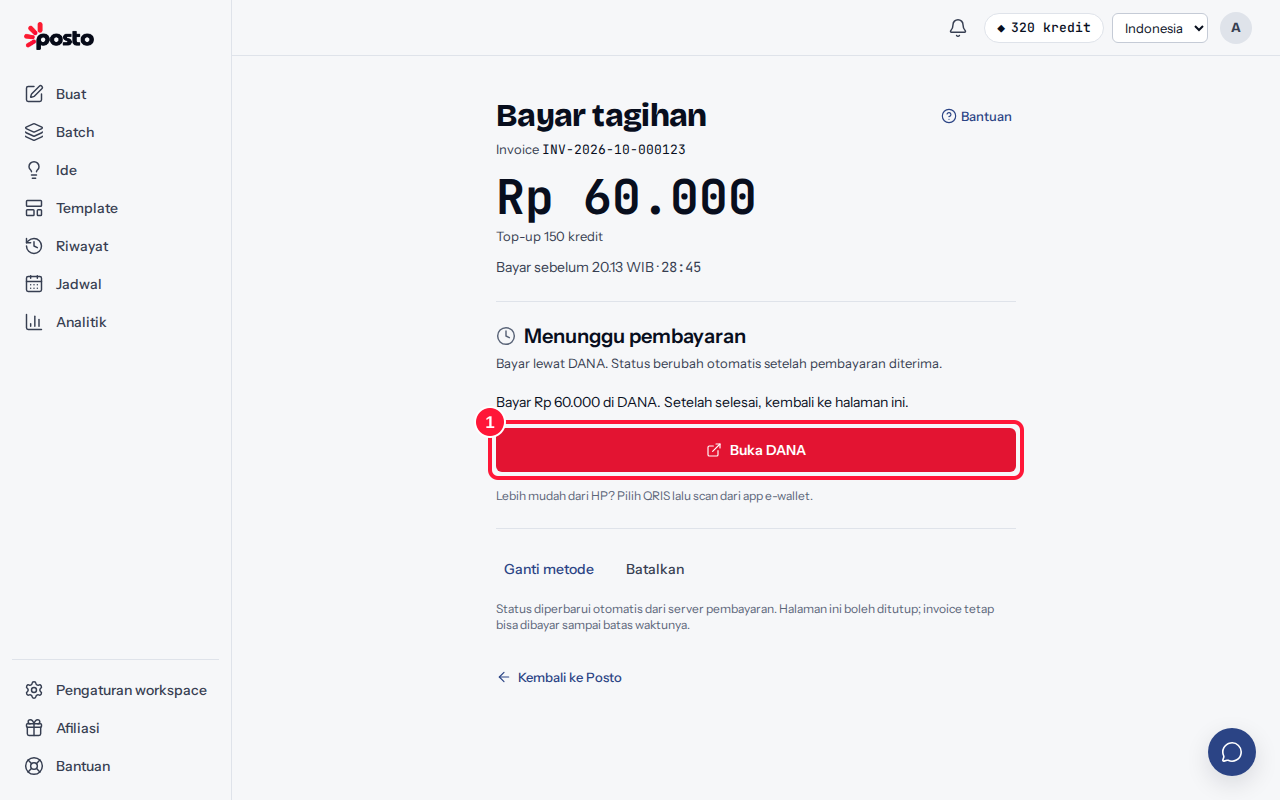
- On the Payment summary, choose DANA or ShopeePay, then click Pay {amount}. On the payment page, click Open DANA or Open ShopeePay.
- Complete the payment on the e-wallet page or in the app. On a computer, the e-wallet page opens in a new tab.
- Come back to Posto. The page shows "Waiting for confirmation from {e-wallet}…" and then changes automatically to Payment received.
Paying on a computer but your e-wallet app is on your phone? It's easier to choose QRIS and scan it from your e-wallet app.
OVO
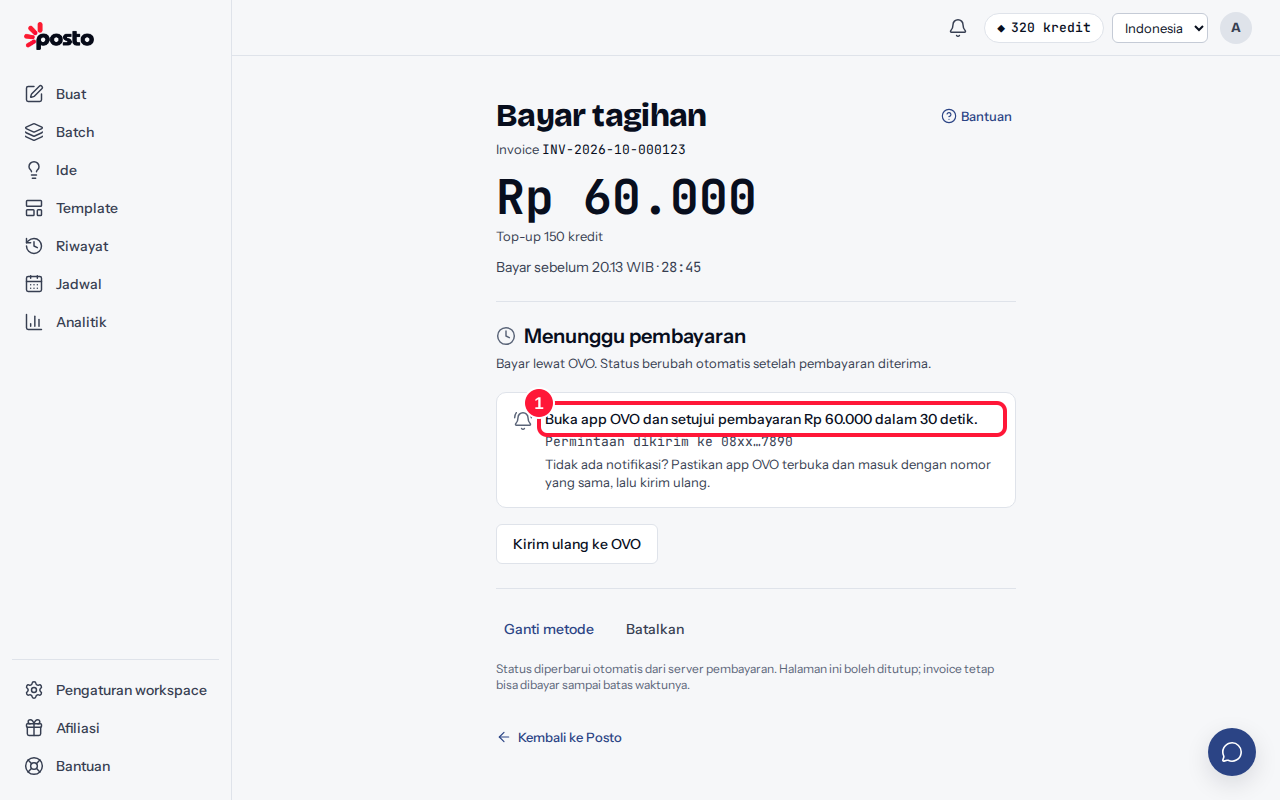
- Choose OVO, fill in Phone number registered with OVO (starting with 08, e.g. 081234567890), then click Pay {amount}. Posto sends a payment request to the OVO app on that number.
- Open the OVO app and approve the payment notification within 30 seconds.
- The status in Posto changes automatically to Payment received.
Notification didn't appear or came late? Click Resend to OVO, check the number, then click Send request.
How long is it valid?
E-wallet payments are currently valid for 30 minutes. If time runs out, create a new code or try another method. See Payment not confirmed yet.
GoPay is paid through QRIS — see Pay with GoPay.
Still stuck? Contact [email protected].
Apakah artikel ini membantu?
Artikel terkait
Belum ketemu jawabannya?
Tim support siap membantu. Sebutkan judul carousel atau jam kejadian supaya kami cepat menemukannya.