
Pay with GoPay (via QRIS)
Terakhir diperbarui
GoPay is paid through QRIS, so there's no separate "GoPay" option with a phone number.
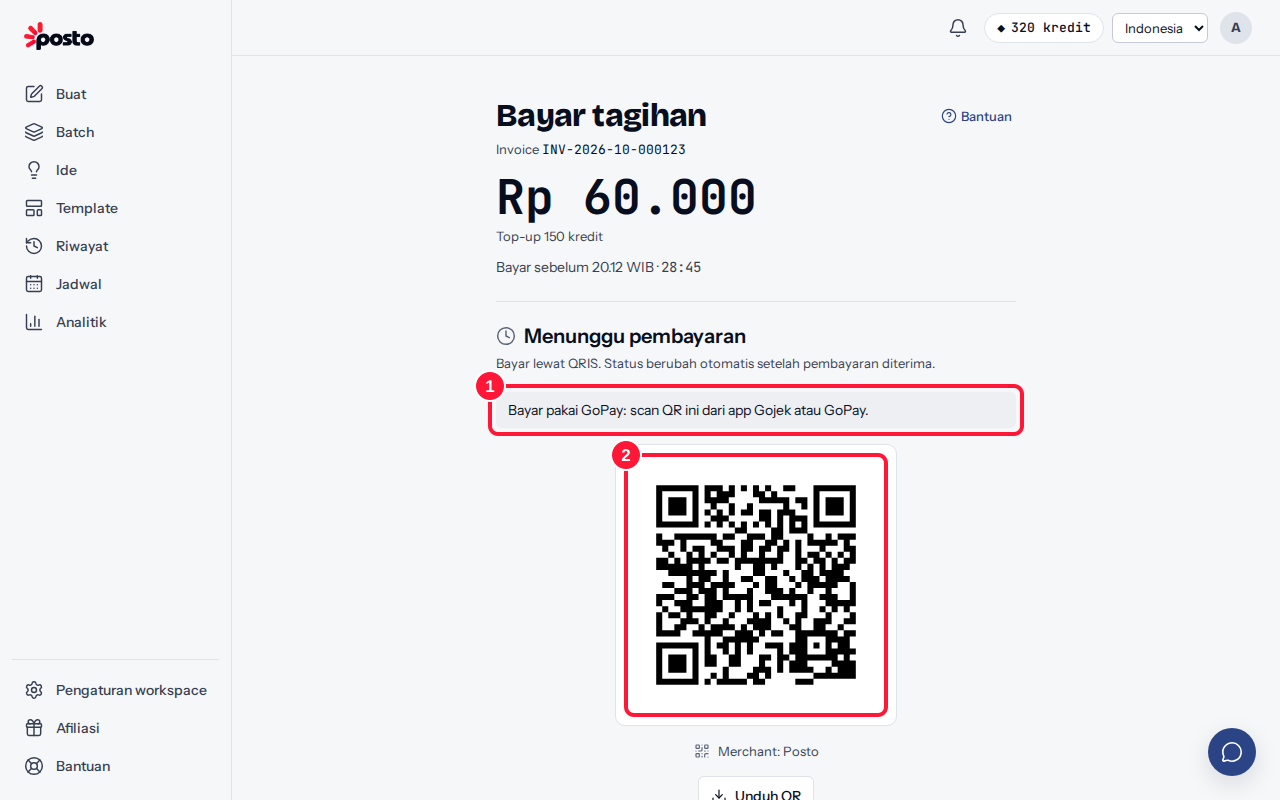
- On the Payment summary, choose the GoPay row ("GoPay pays through QRIS") or QRIS directly, then click Pay {amount}.
- The payment page shows a QR code with the instruction "Paying with GoPay: scan this QR from the Gojek or GoPay app."
- Open the Gojek or GoPay app, choose Pay/scan, then scan the QR code. On the same phone: click Download QR, then pick the image from your gallery in the app.
- Confirm the payment. The status in Posto changes automatically to Payment received.
QRIS codes are currently valid for 30 minutes. The full steps are in Pay with QRIS.
Still stuck? Contact [email protected].
Apakah artikel ini membantu?
Artikel terkait
Belum ketemu jawabannya?
Tim support siap membantu. Sebutkan judul carousel atau jam kejadian supaya kami cepat menemukannya.