
Scheduling posts
Terakhir diperbarui
Di artikel ini
Scheduling and posting don't use AI credits, and Posto doesn't limit how many posts you make (only each platform's official limits apply). Connect your accounts first in Connecting social media accounts.
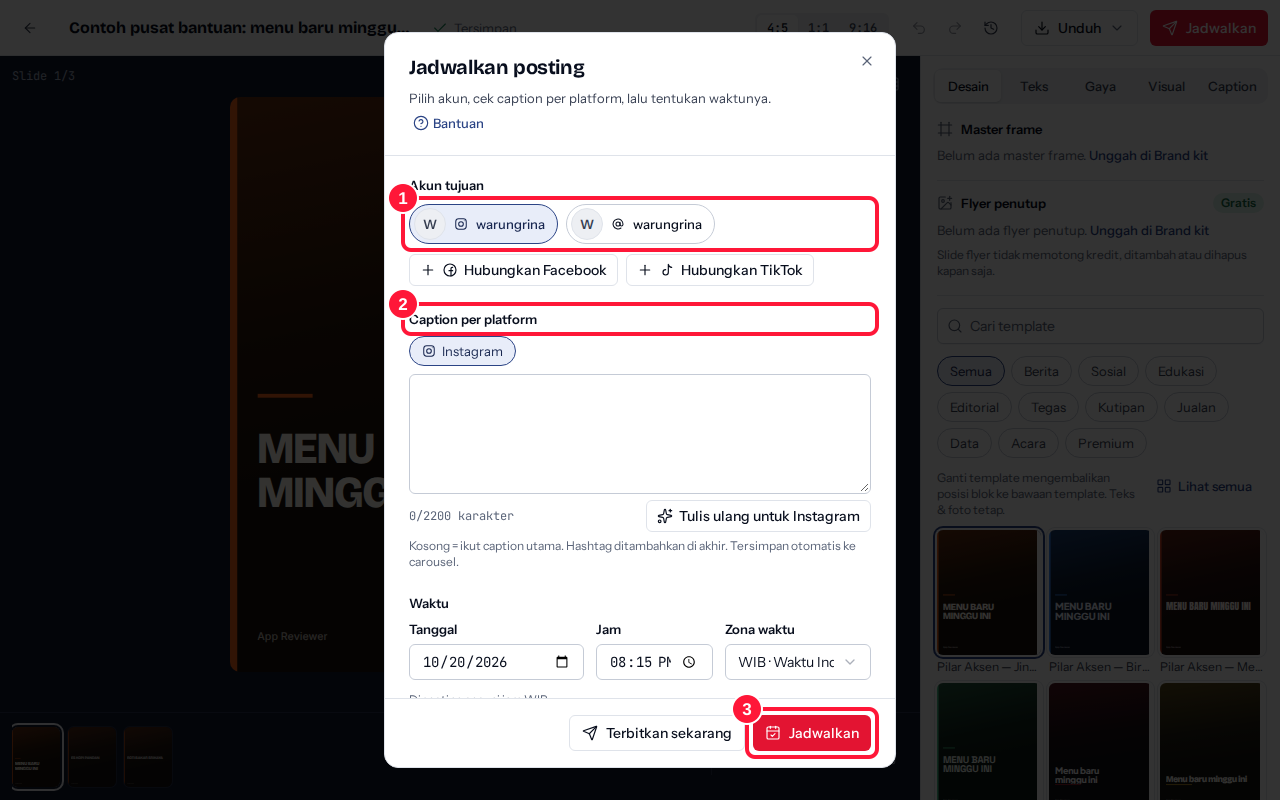
- Open the carousel in the studio and click Schedule in the top bar (or from a card in My content → Schedule). Under Post to, click the accounts you want to use.
- Check Caption per platform. Empty = uses the main caption. Rewrite for {platform} uses AI credits (1 per rewrite by default); editing the caption yourself is free.
- Set When: Date, Time, and Time zone (WIB, WITA, WIT, or MYT), then click Schedule. Want it live right now? Click Publish now.
The posting time must be at least 5 minutes from now and no more than 90 days ahead.
Viewing all your schedules
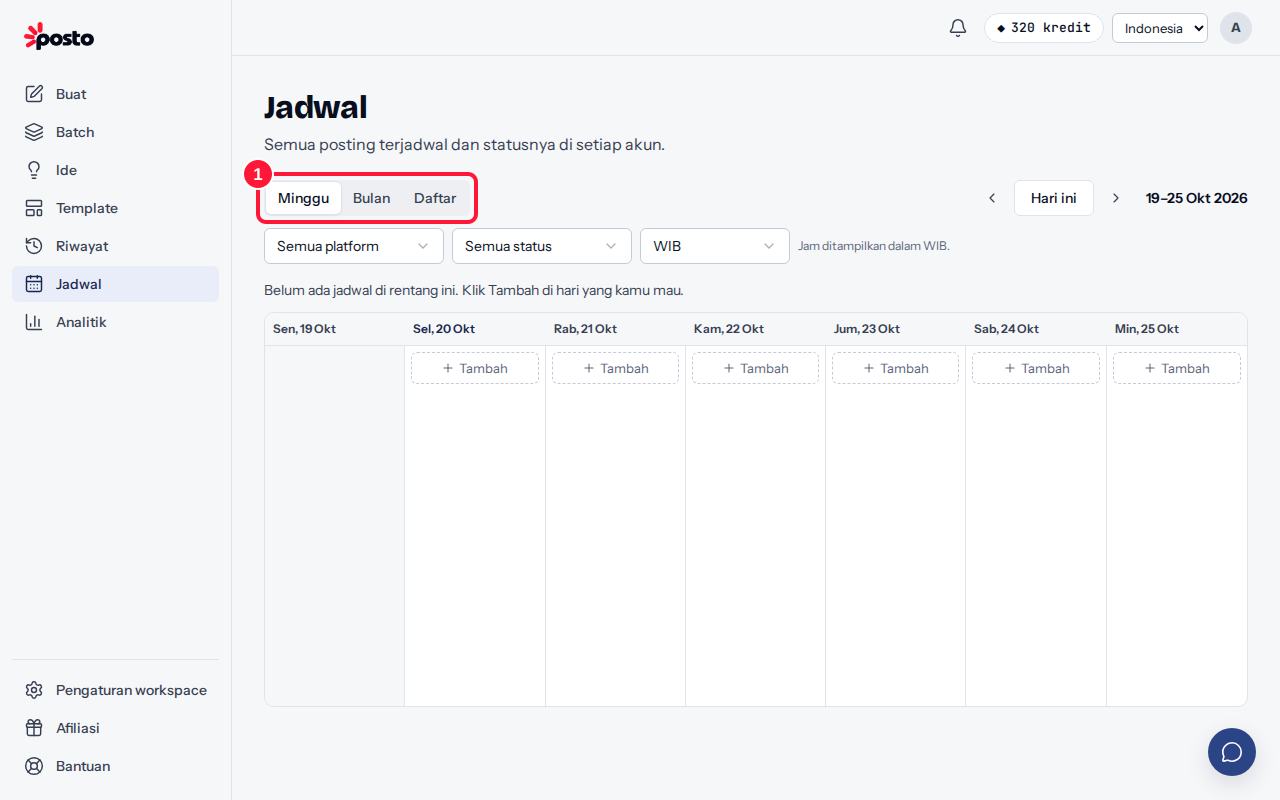
- Open the Calendar menu (/app/calendar) and pick the Week, Month, or List view.
- Click Schedule a carousel to pick a carousel from My content.
Click a schedule card to Edit caption & time, Move…, Publish now, or Cancel schedule.
What does each schedule status mean?
| Status | Meaning |
|---|---|
| Scheduled | Waiting for the posting time |
| Processing | Slides are being prepared and sent to the platform |
| Published | The post is live |
| Partly published | Published on some accounts; see the reason on the others |
| Failed | Not published; the reason and a Try again button are on the schedule card |
| Canceled | Won't be posted |
Why was my schedule rejected?
Every platform has limits, such as the number of slides, the ratio, caption length, and the number of hashtags. Posto checks them before saving and offers a fix, for example a Switch ratio to 4:5 button. If a schedule fails when it publishes, see Post failed: common causes.
Still stuck? Contact [email protected].
Apakah artikel ini membantu?
Artikel terkait
Belum ketemu jawabannya?
Tim support siap membantu. Sebutkan judul carousel atau jam kejadian supaya kami cepat menemukannya.