
Deleting your account
Terakhir diperbarui
Your account is permanently deleted 14 days after you ask. During those 14 days you can still cancel.
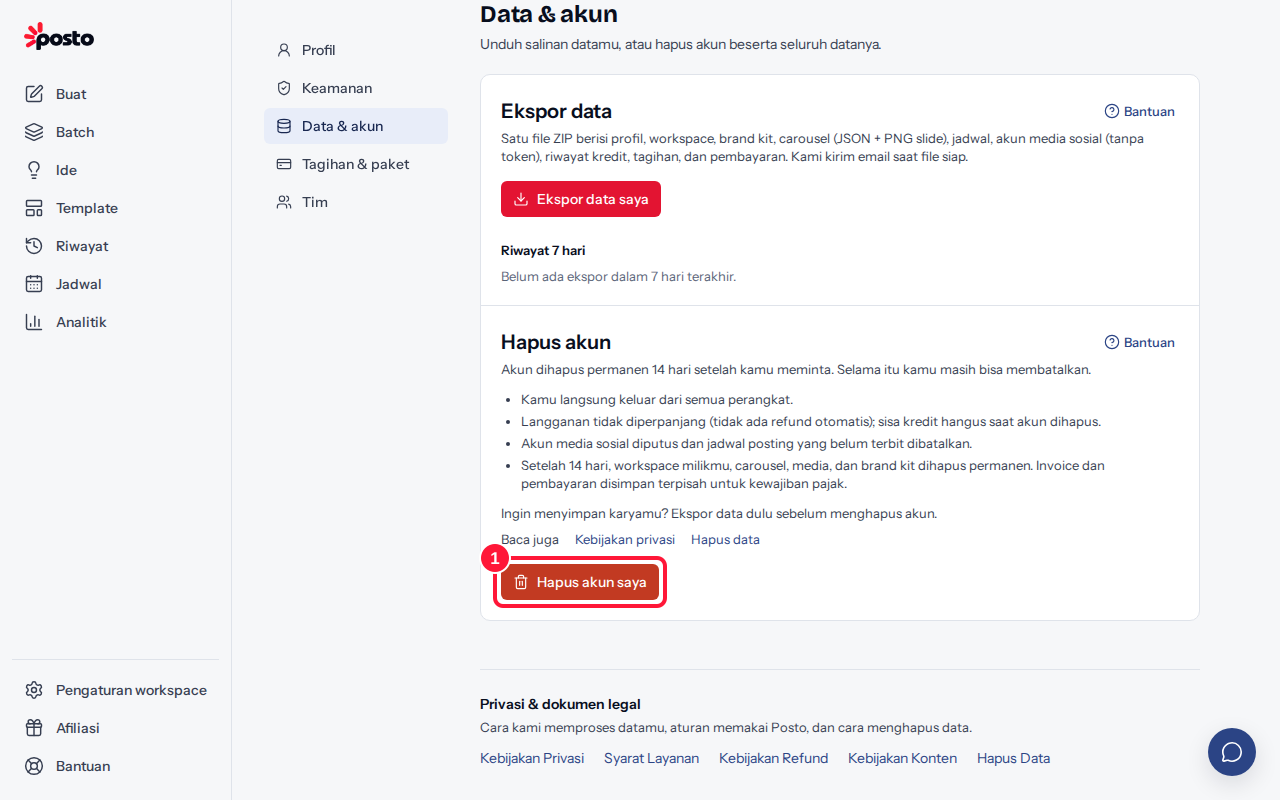
Before you delete
Want to keep your work? Export your data first.
How to delete your account
- Go to the account menu → Profile & security → Data & account and click Delete my account.
- Enter your Current password. If you signed up with Google, click Send code to email, then enter the Code from email (valid for 10 minutes). If 2FA is on, also enter the 2FA code.
- Click Yes, delete my account.
What happens next?
- You're signed out on all devices right away.
- Your subscription is not renewed (no automatic refund); remaining AI credits are lost when the account is deleted.
- Social accounts are disconnected and scheduled posts that haven't been published yet are canceled.
- After 14 days, the workspaces you own, your carousels, media, and brand kit are permanently deleted. Invoices and payments are kept separately for tax obligations.
Changed your mind?
- Sign in to Posto again before the deletion date, or open the link in the confirmation email.
- Click Cancel deletion.
Your account is active again and your subscription is restored. Reconnect your social accounts and set up any scheduled posts that were canceled.
Still stuck? Contact [email protected].
Apakah artikel ini membantu?
Artikel terkait
Belum ketemu jawabannya?
Tim support siap membantu. Sebutkan judul carousel atau jam kejadian supaya kami cepat menemukannya.